How Do I Run charges on hold reports |
  
|
How Do I Run charges on hold reports |
|
From the main menu click on Report Central and then click on Superbill Tally Report
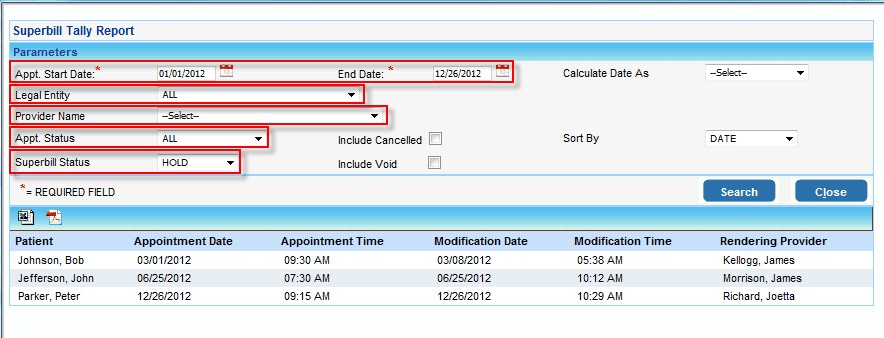
1.Select the Appointment Date
2.To run this report for a particular Legal Entity, select the Legal entity from the list.
3.To run this report for a particular Provider, first select the legal entity and then select the Provider from the list
4.To run this report for a particular Appointment Status, select a status from the list
5.Select the Superbill Status as HOLD
Click on Search after making the required selection